How to Add a Member to a Project
Caution
This feature is for project administrators.
When you sign in, a list of projects will be displayed.
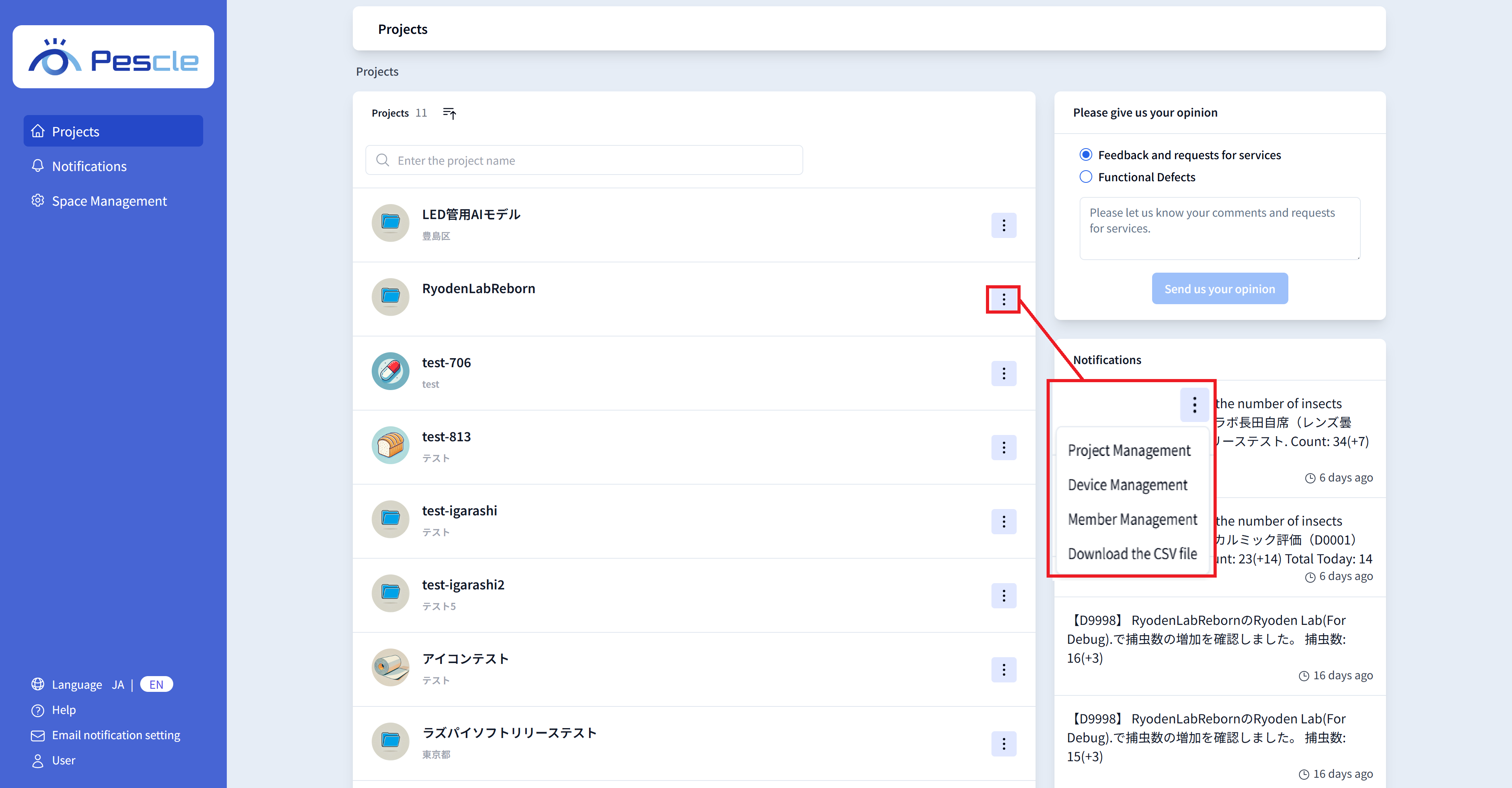
Click the vertical three-dot menu on the right side of the project you want to add a member to, and click “Member Management”.
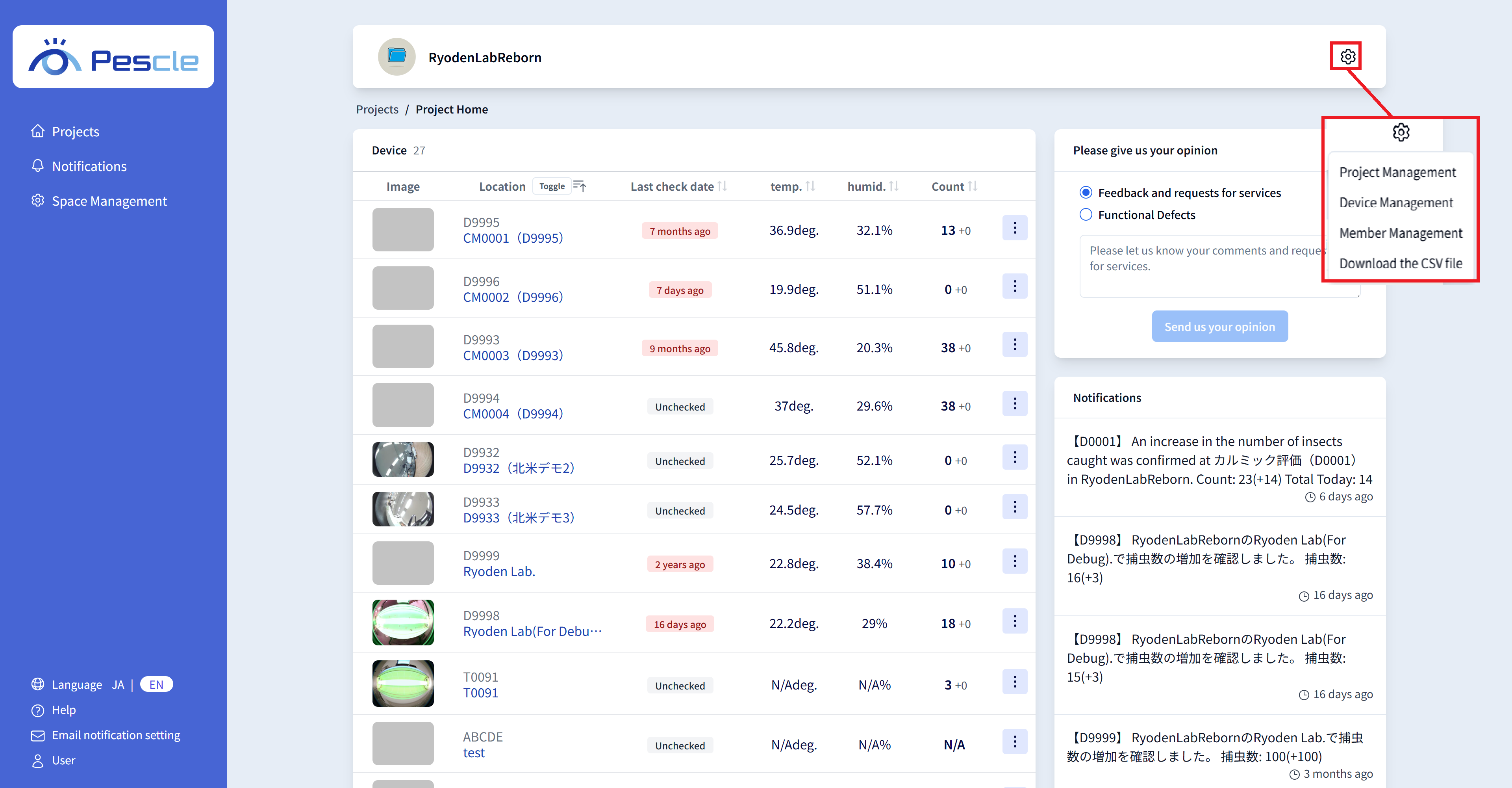
Hint
You can also navigate by clicking the gear icon in the upper right corner of the project home screen.
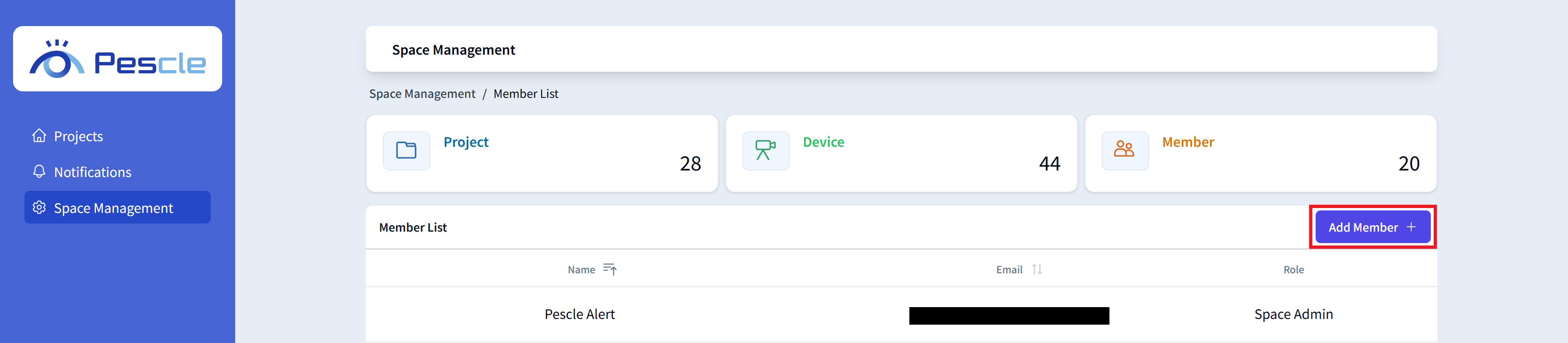
When the member management screen is displayed, click the “Add Member” button.
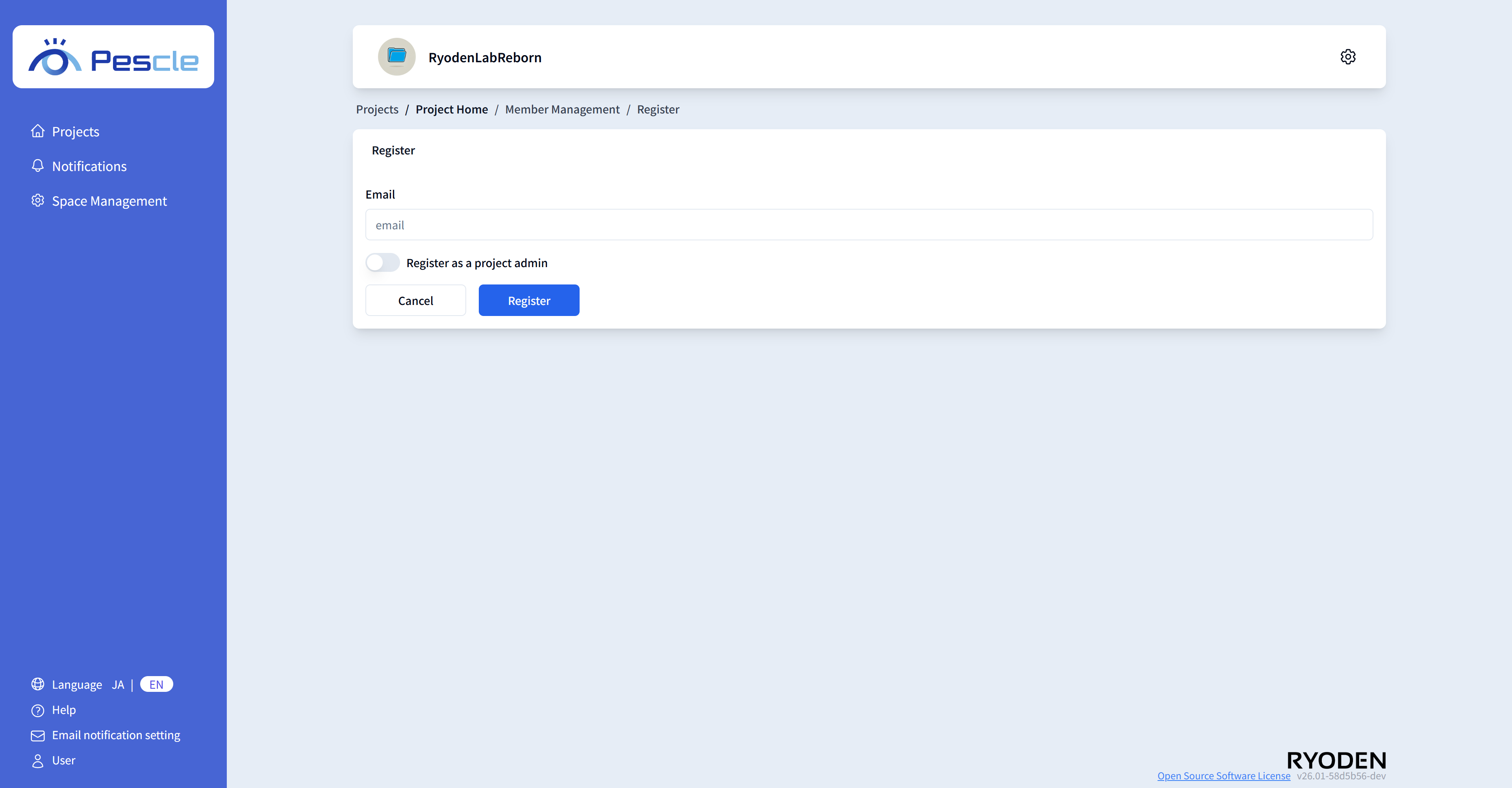
On the member registration screen, enter the email address and whether they are a project administrator.
Once the input is complete, click the “Register” button.
Note
You can add a new member even if their email address is not yet registered in the space. If the person who added the member is not a space administrator, a notification email will be sent to all space administrators informing them that a new member has been registered.
Hint
Project administrators can use the following features:
Change project settings
Register, edit, and delete insect trap cameras
Add and delete members
Download insect count data
Warning
If the project’s email domain restriction is set to ‘Enabled’, email addresses with domains that are not permitted cannot be registered as members. If registration fails, please check Enable Email Domain Restriction in the project settings.