How to Download Insect Detection Reports
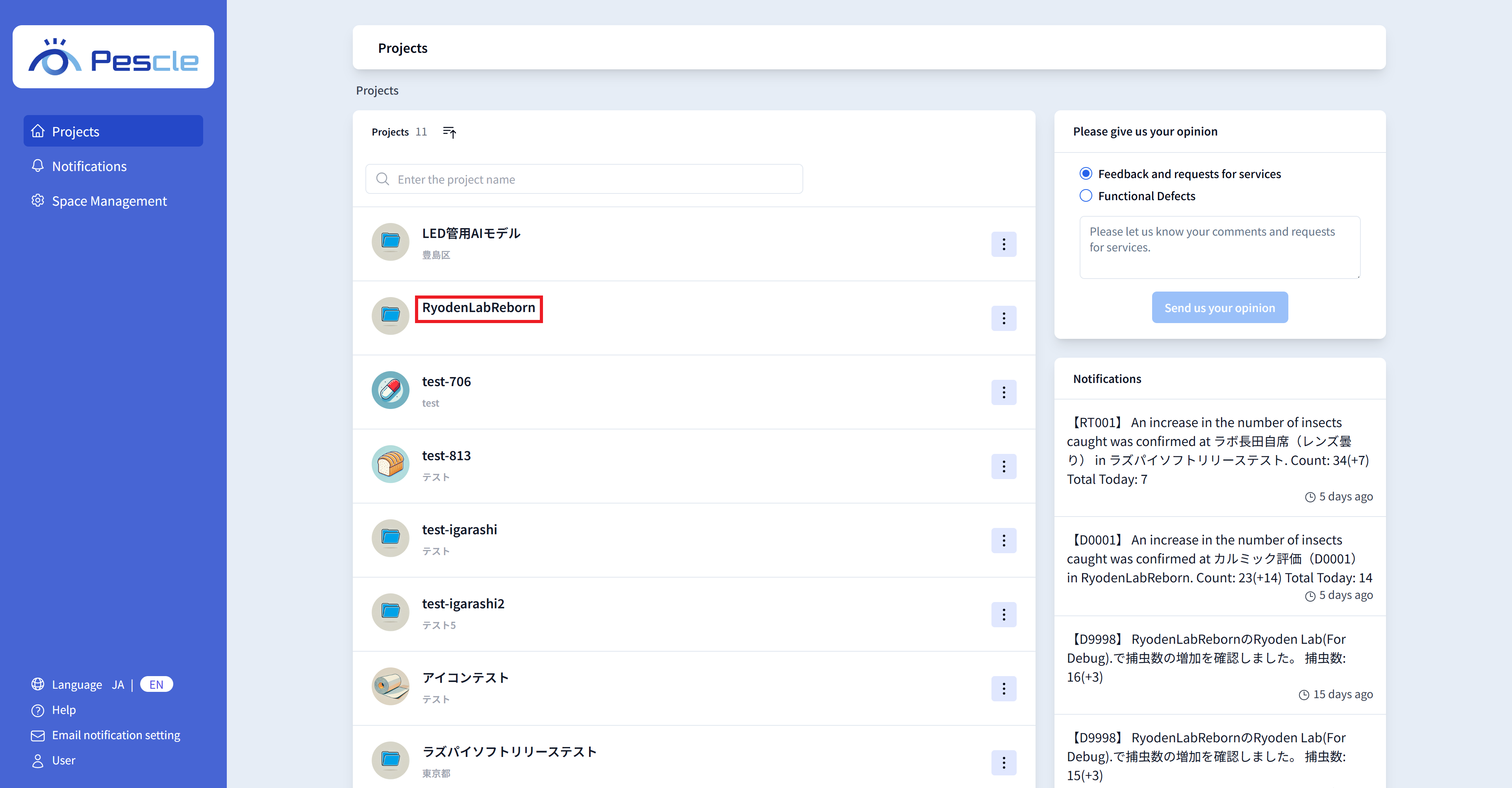
After signing in, the project list will be displayed. Click the project that contains the insect trap camera you want to view.
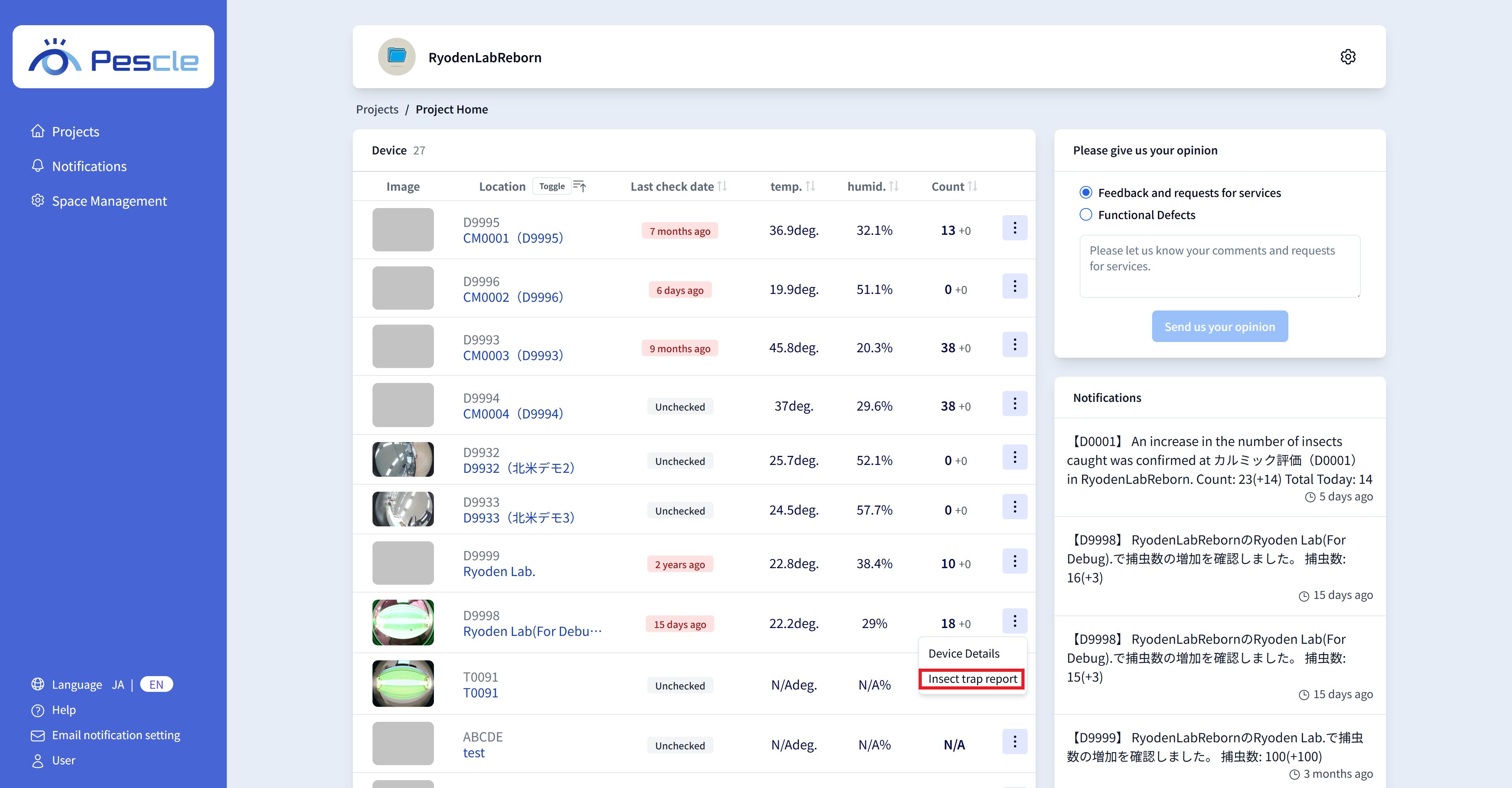
The project home screen will be displayed. Click the vertical three-dot menu on the right side of the insect trap camera you want to view.
When the submenu appears, click ‘Insect Detection Report.’
Tip
Click the installation location of the insect trap camera to view the ‘Insect Detection History.’ For details, see How to View Insect Detection History.
Tip
Click ‘Insect Trap Camera Detail’ in the submenu to navigate to the ‘Insect Trap Camera Detail Screen.’ For details, see How to View Device Details.
Downloading Reports
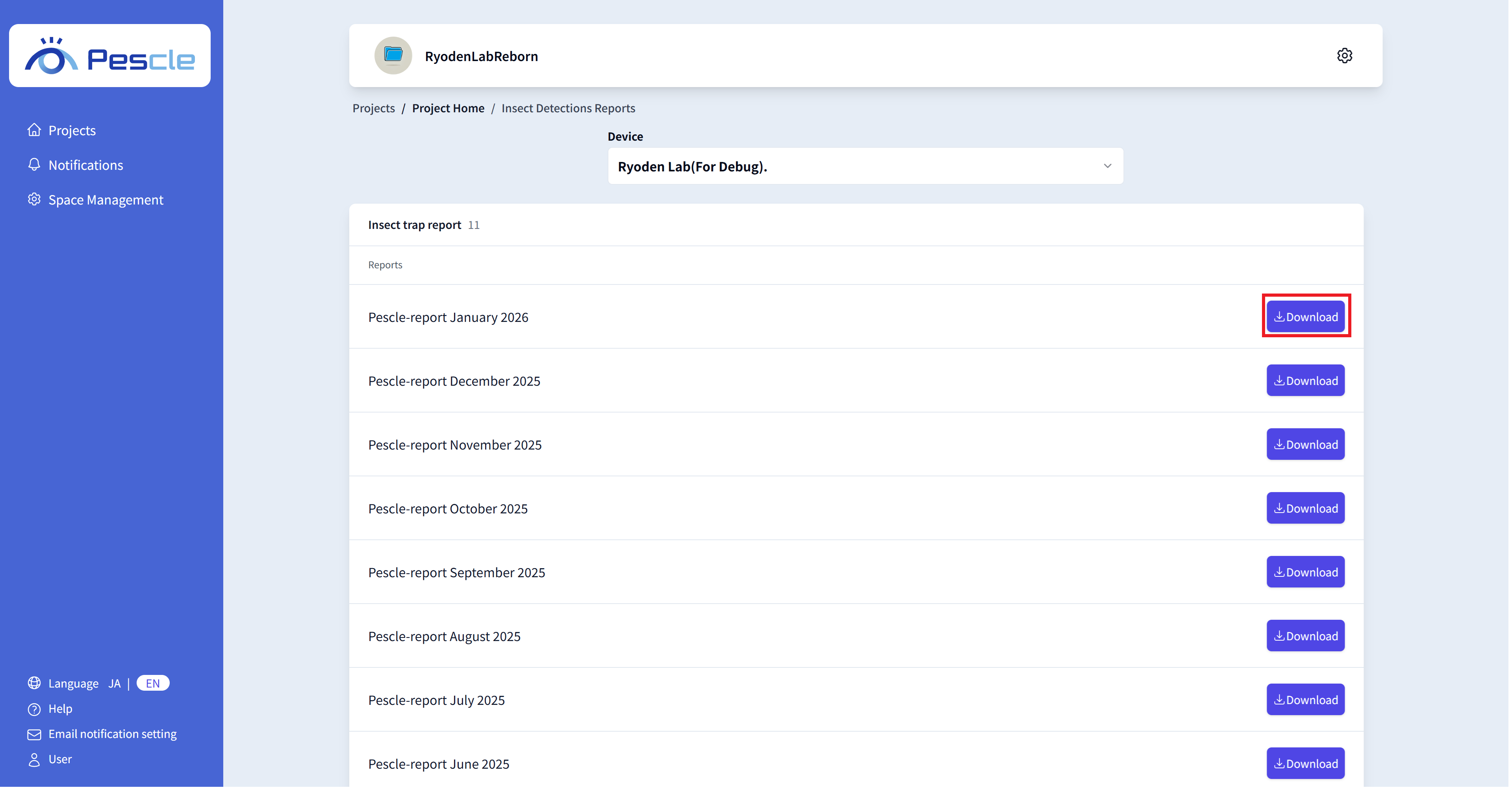
On the ‘Insect Detection Report’ screen, you can download insect detection reports in PDF format on a monthly basis.
Click the ‘Download’ button for the year and month you want to download.
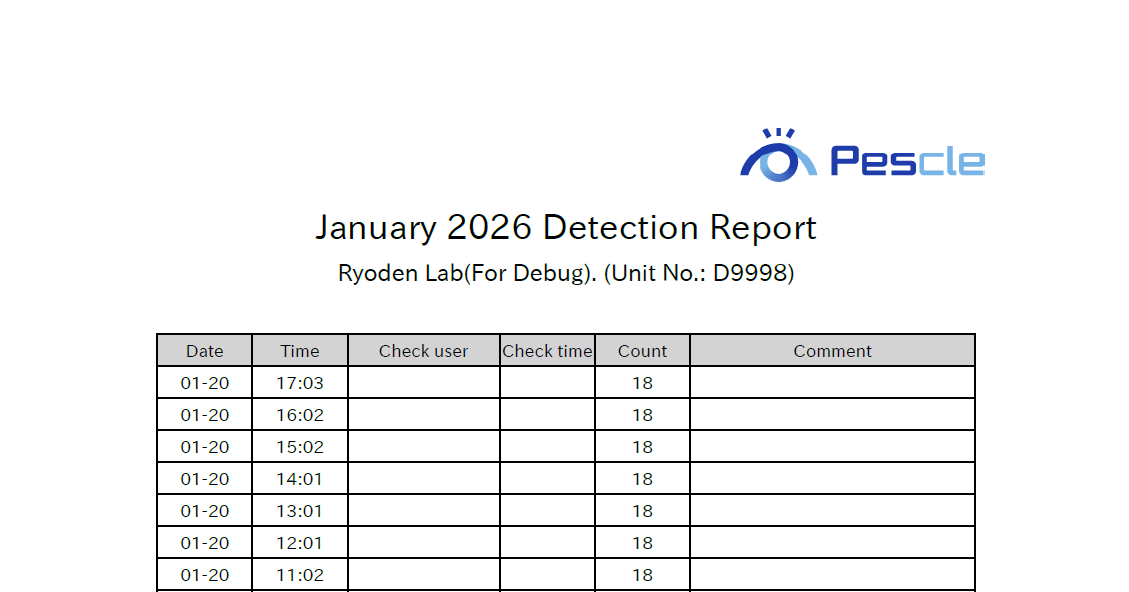
The downloaded report will look like the following.