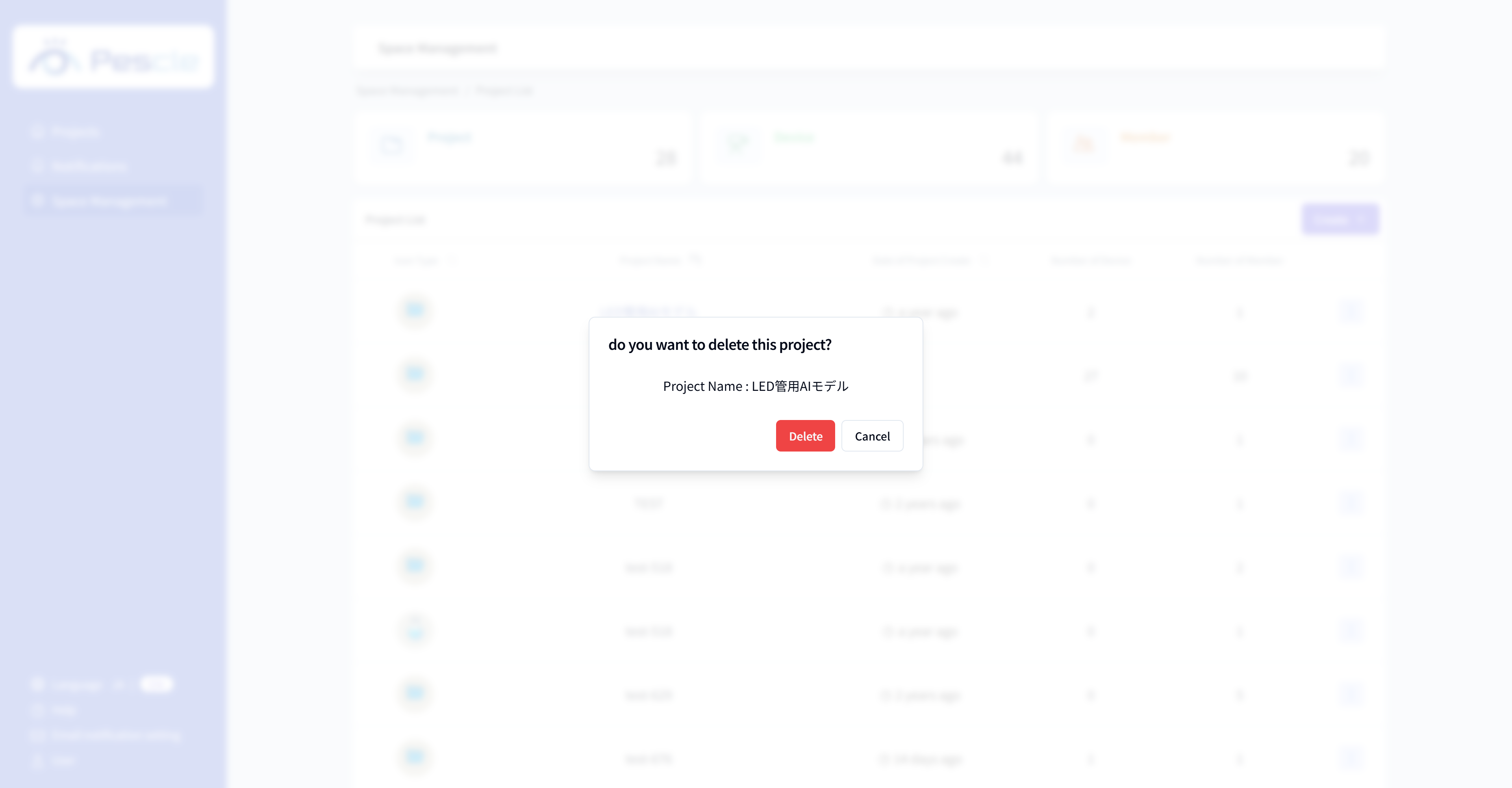
How to Delete a Project
Caution
This feature is for space administrators only.
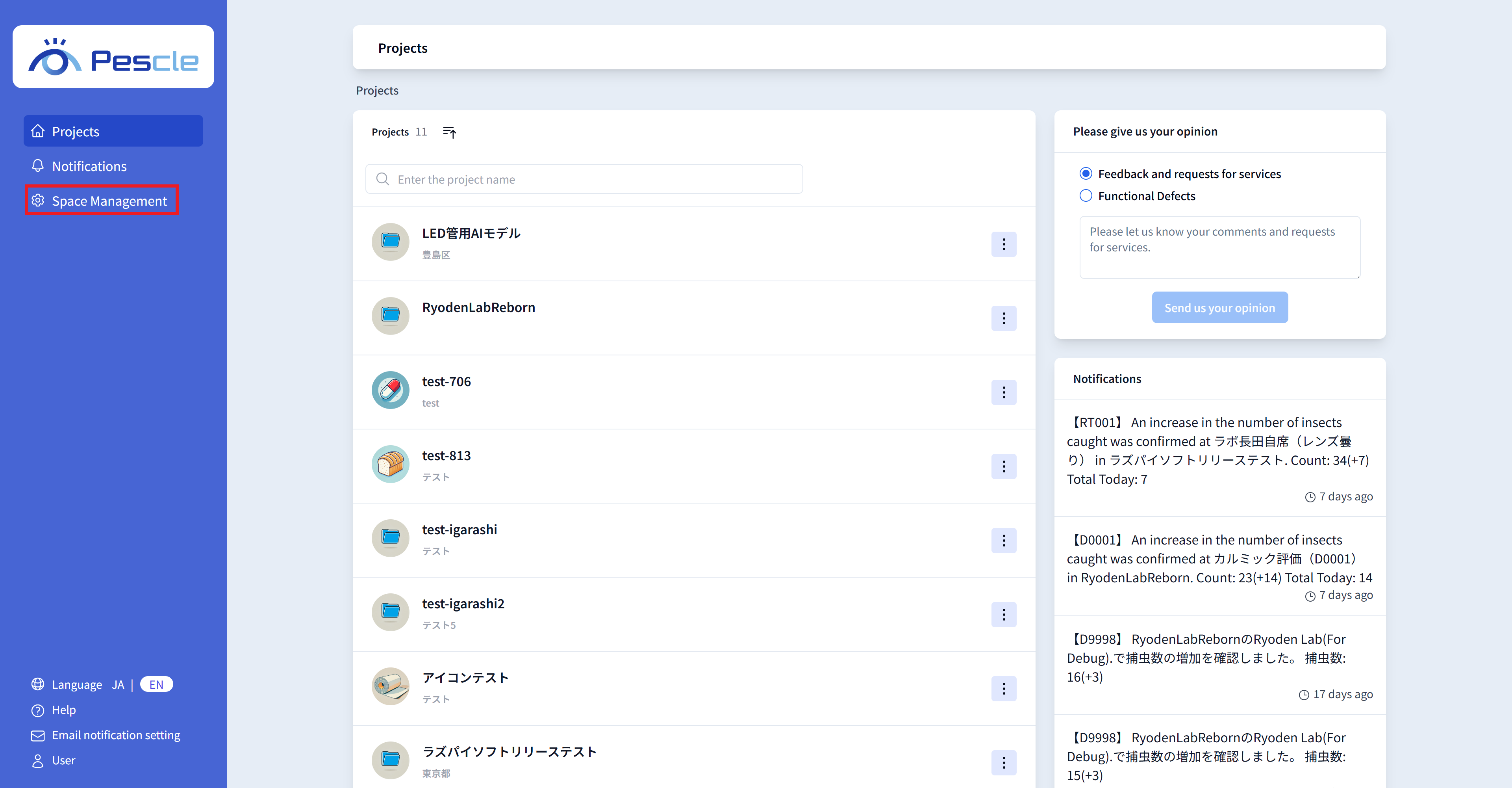
After signing in, the space administration navigation bar will be displayed on the left side of the screen. Click “Space Management”.
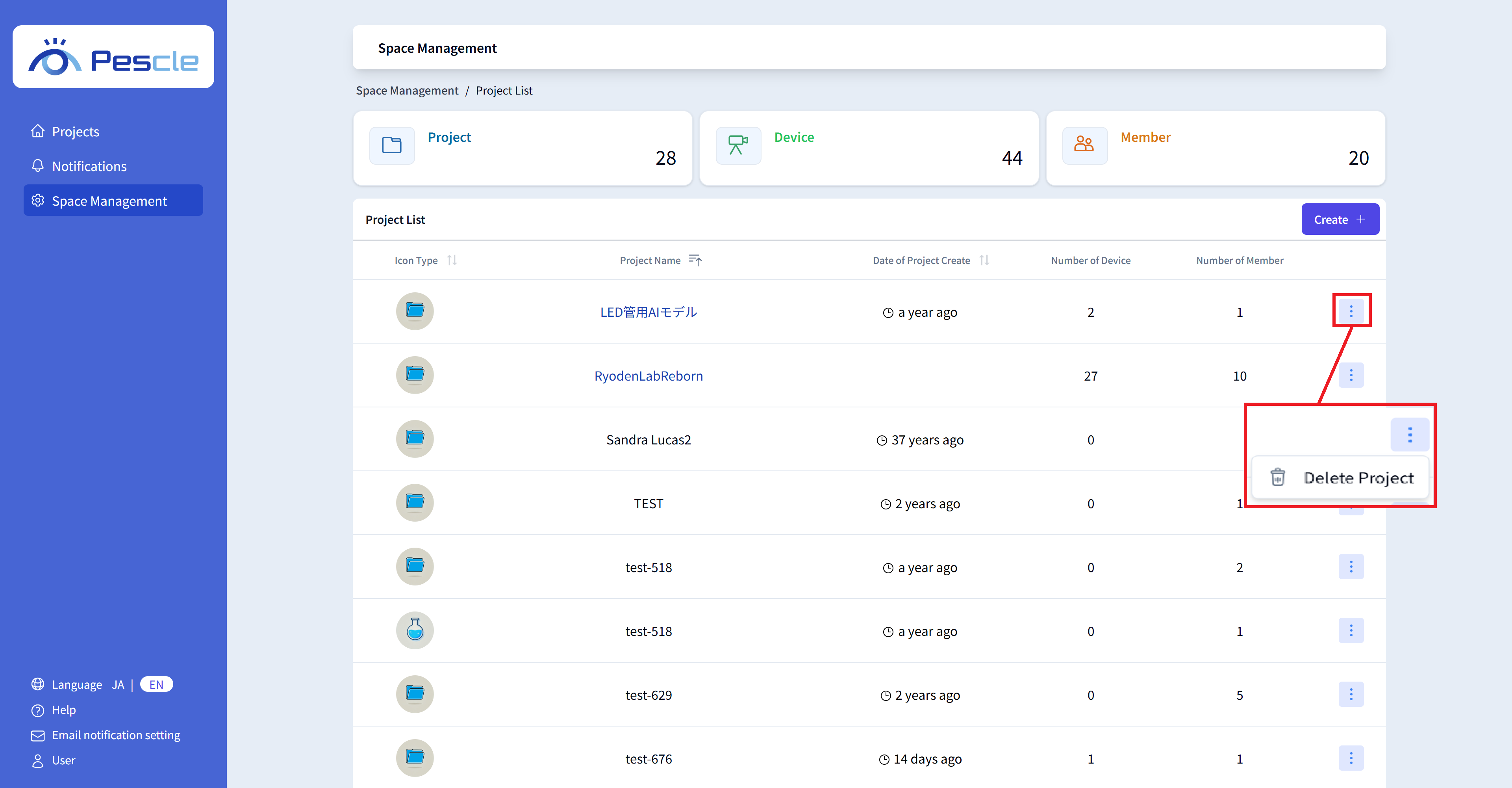
The project list will be displayed.
Click the vertical three-dot menu on the right side of the project you want to delete, then click “Delete Project”.
When the confirmation dialog for deleting the project is displayed, click the “Delete” button.