How to Download Insect Count Data
Caution
This feature is for project administrators.
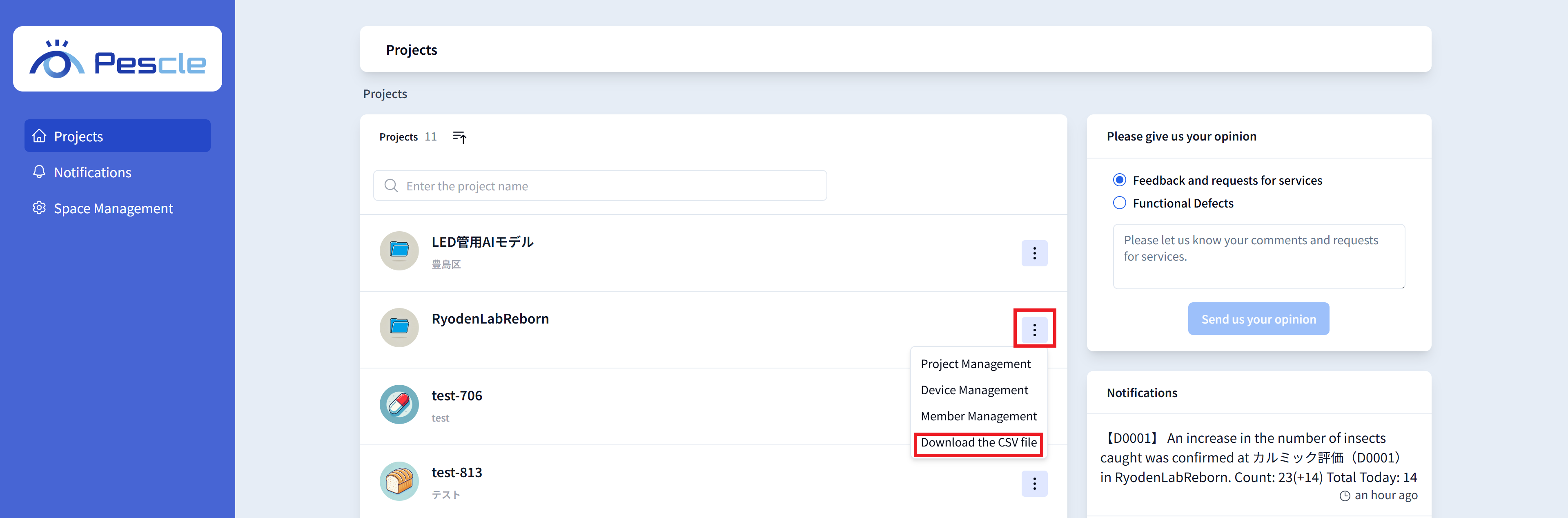
Click the vertical three-dot menu on the right side of the project. When the submenu appears, click ‘Download the CSV file.’
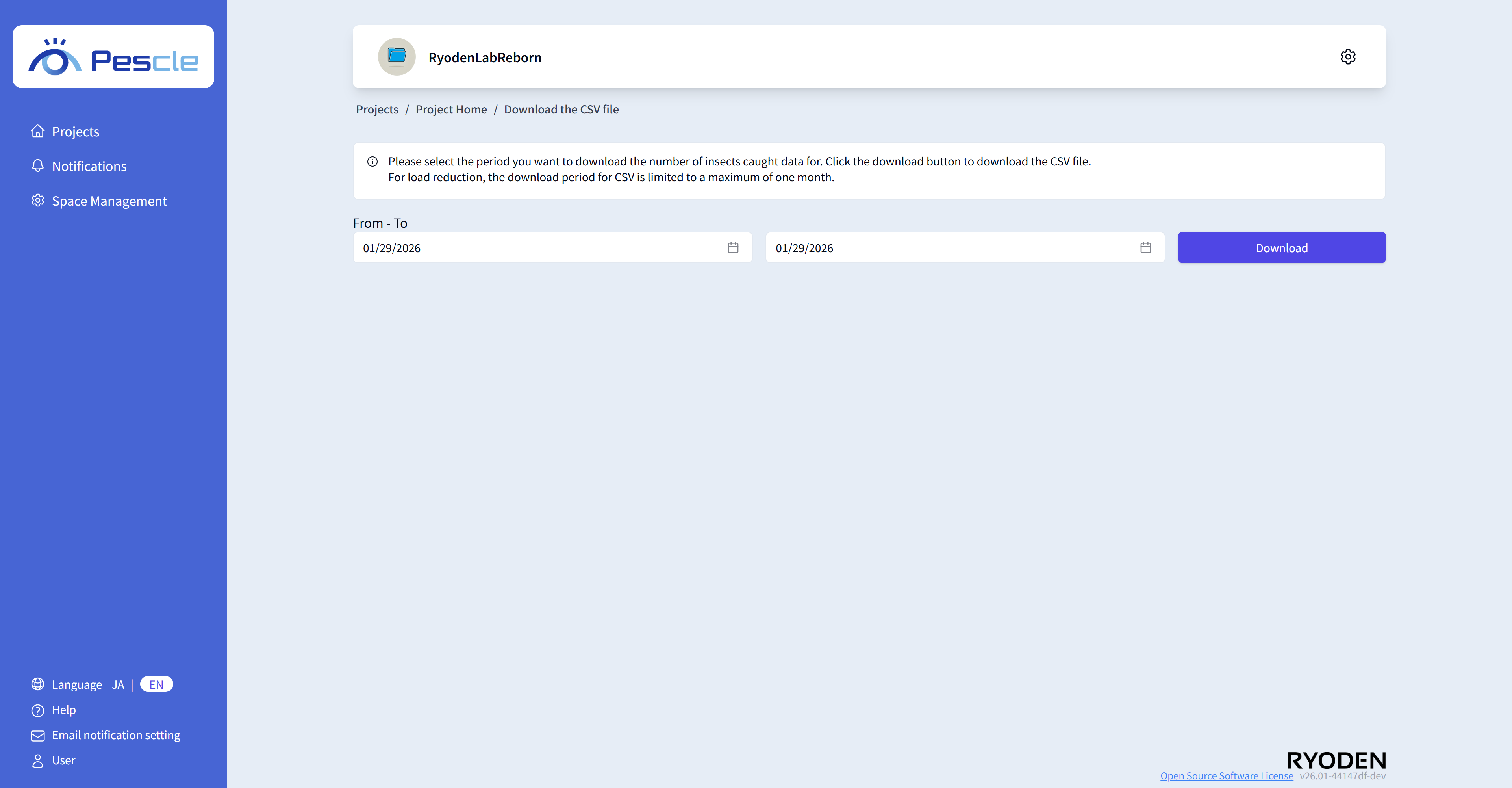
On the CSV download screen, you can download monthly CSV files. Click the ‘Download’ button for the month and year you want to download.
The downloaded CSV will look like the following.
Unit Number |
detectionDatetime |
location |
count |
temperature |
humidity |
latestUserCheckedUserName |
comment |
countDiff |
D0000 |
2024-06-27 11:03:27 |
D0000 |
142 |
25.13 |
48.75 |
2 |
||
D0000 |
2024-06-27 09:03:27 |
D0000 |
140 |
23.08 |
57.21 |
0 |