How to View Insect Detection History
The hourly insect detection history for the selected insect trap camera will be displayed.
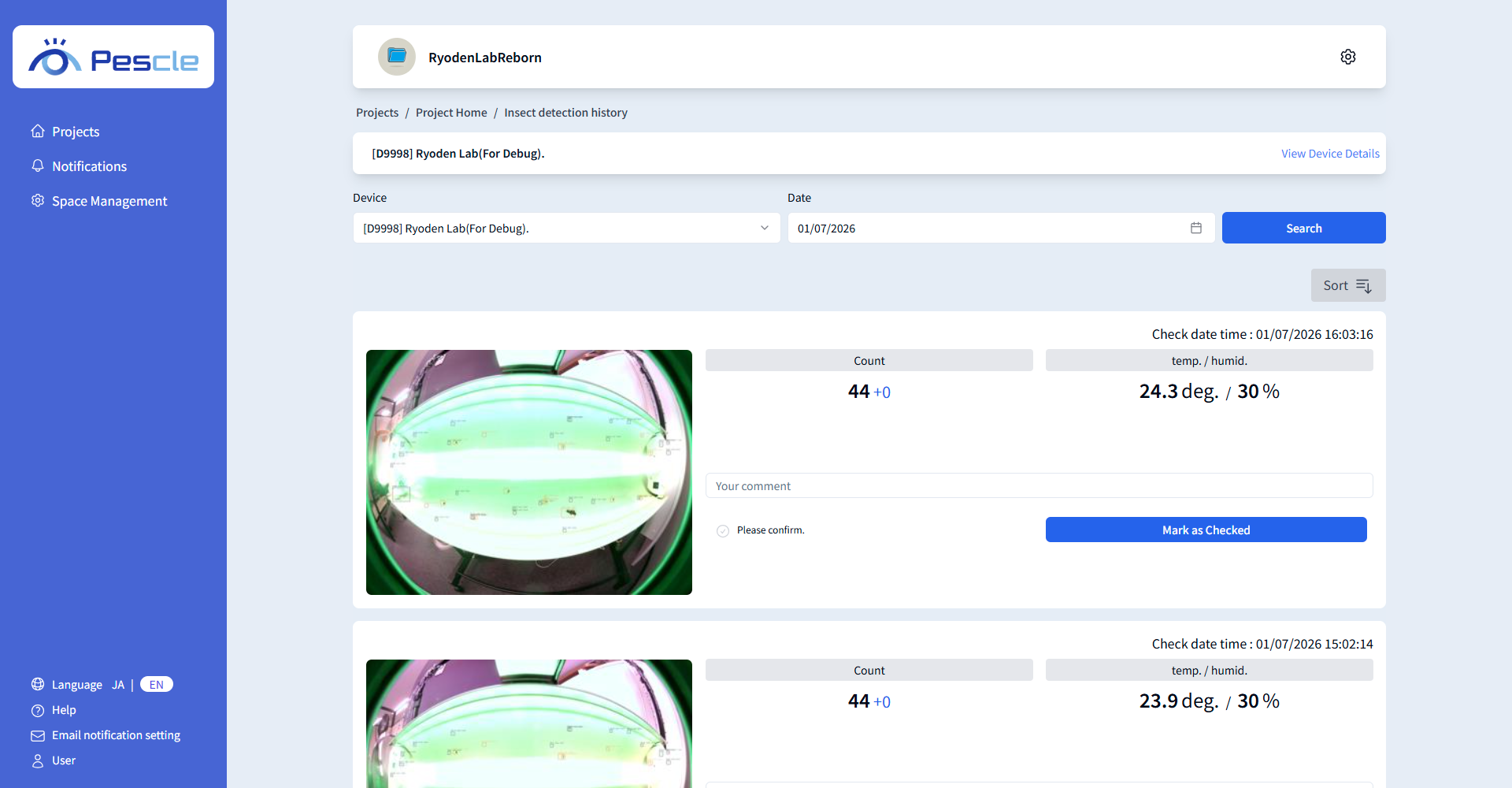
Insect Detection History Search
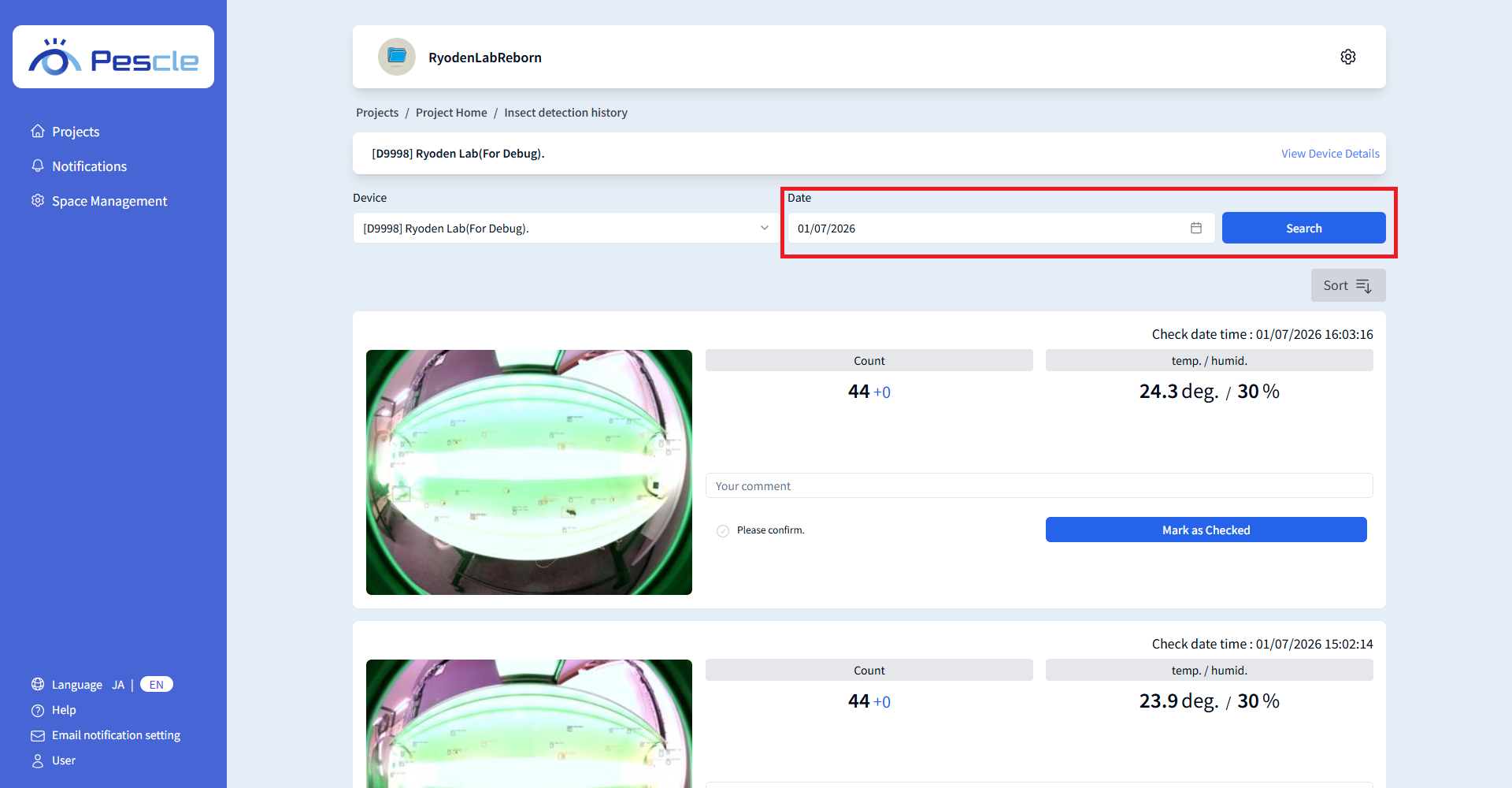
To view the increase from the previous day or past data, change the date and click ‘Search.’
Selected dates are dark blue, dates with data are light blue, and dates with differences are light orange.
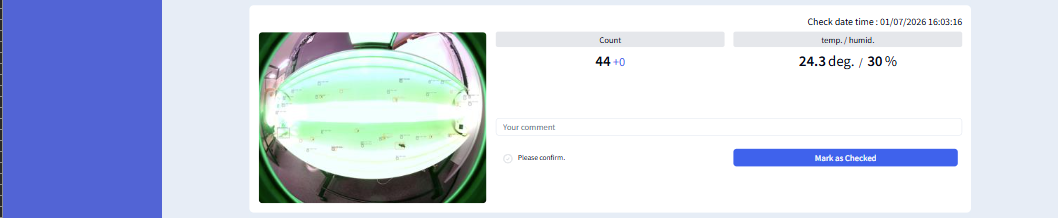
How to Read Insect Detection History
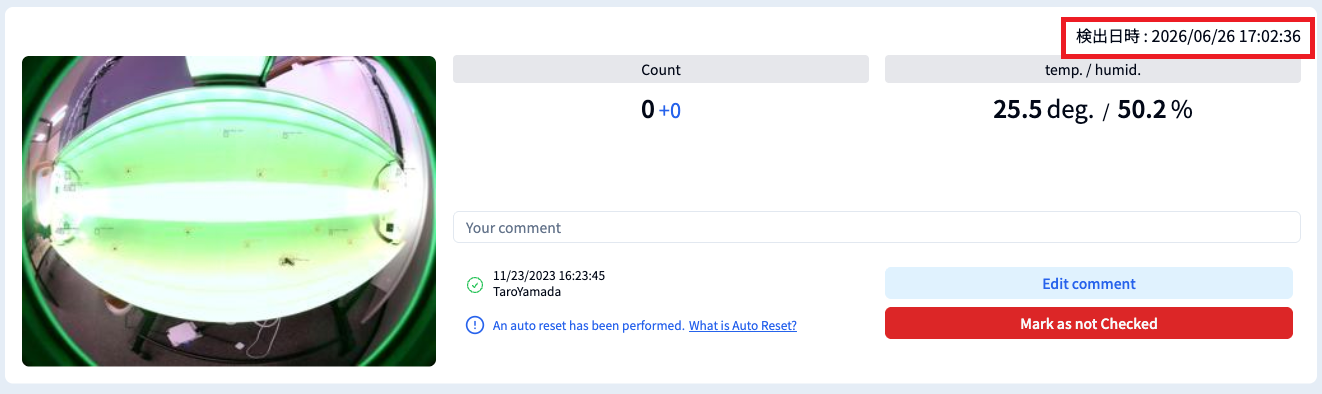
You can check the ‘Check date time’ at the top right of the insect detection history.
‘Check date time’ is when the insect trap camera captured the image, and ‘Processed date time’ is when the cloud received the image and completed the AI analysis.
Click ‘Check date time’ to switch the display to ‘Processed date time.’
Click it again to return to the ‘Check date time’ display.
For older data without processed date time information, ‘-’ will be displayed.
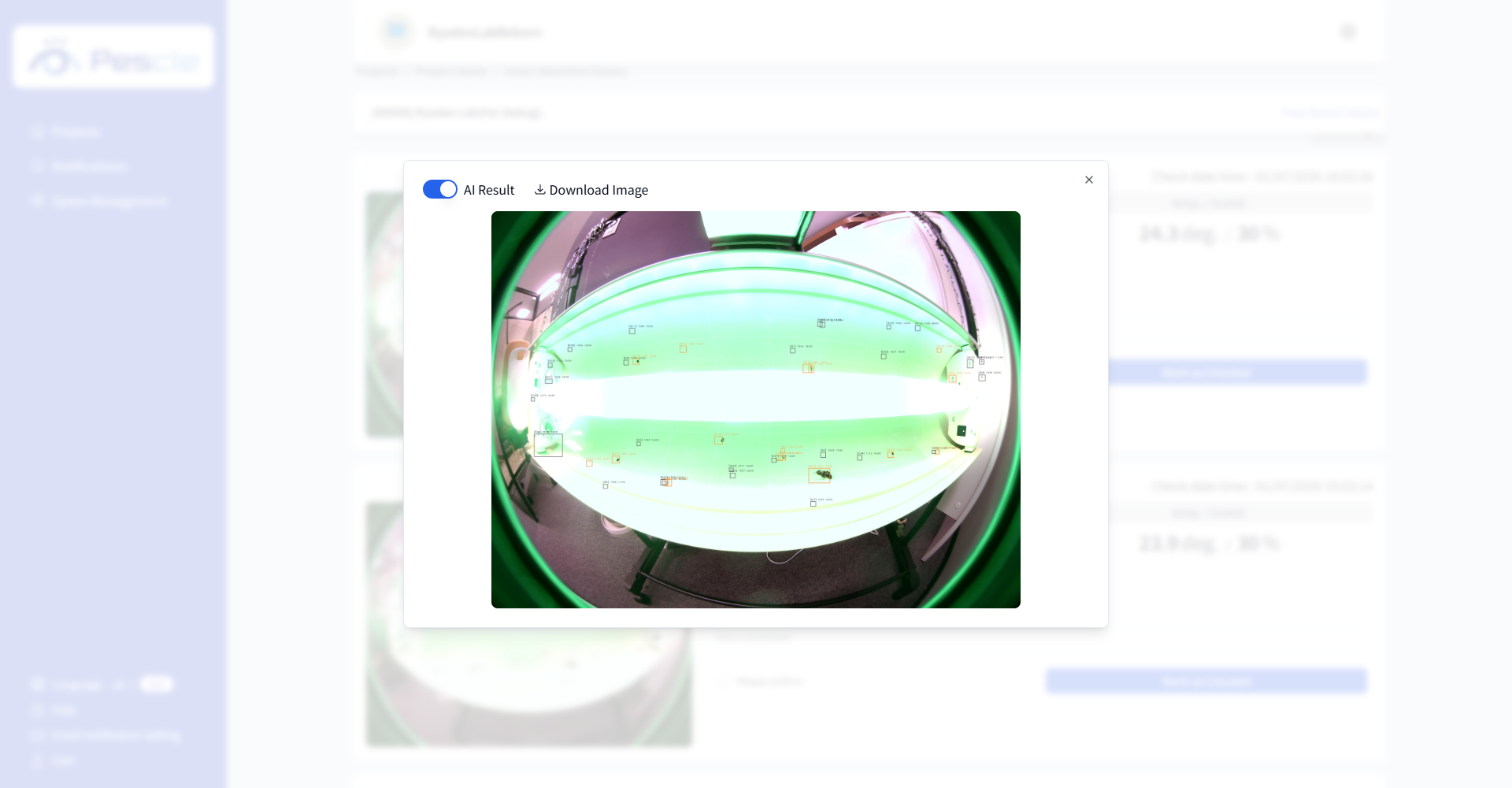
Click the image on the left to view an enlarged version.
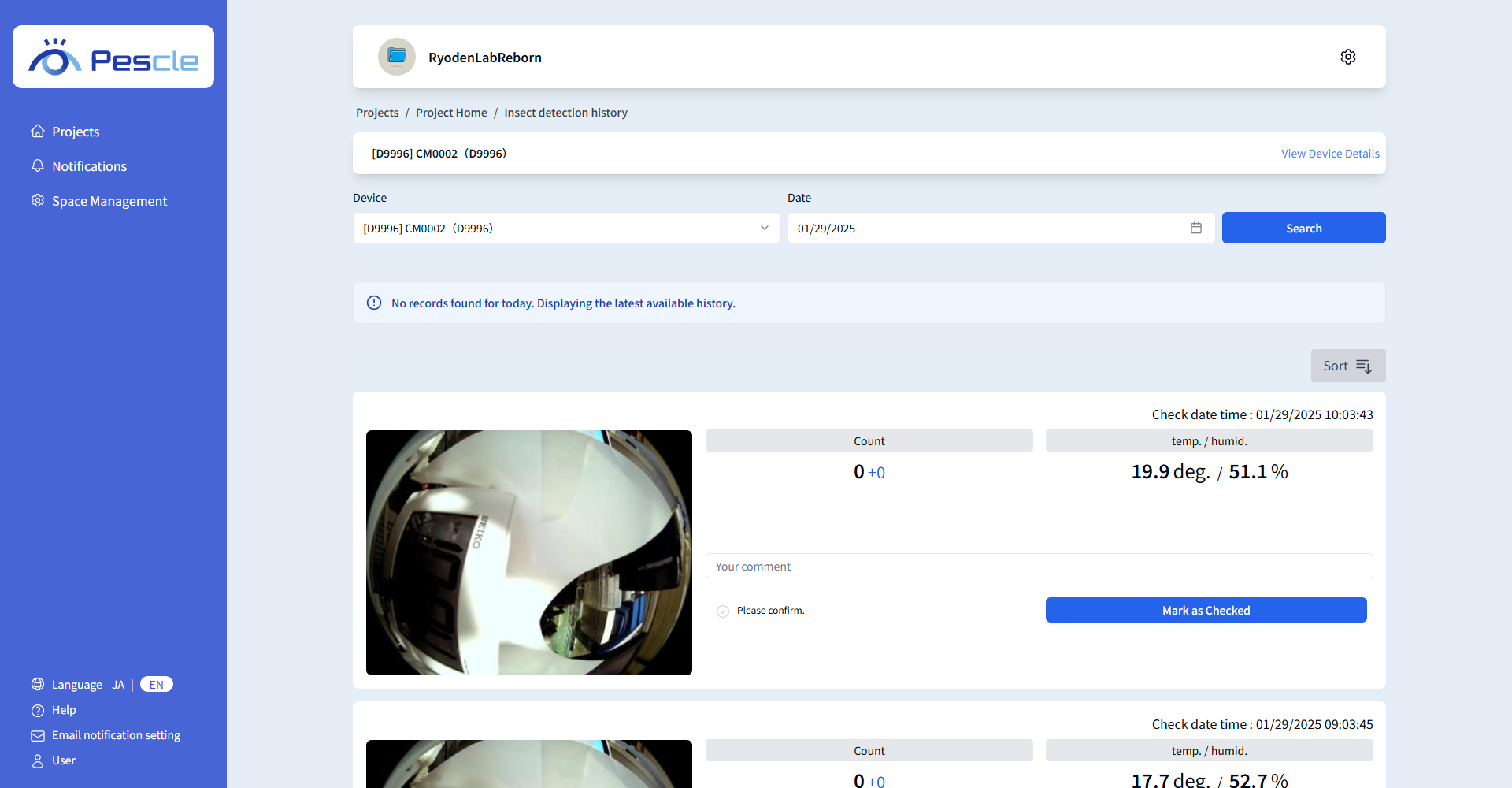
When you display the insect detection history, today’s history is shown by default.
If there is no history for today, the latest history will be displayed.
If the latest history is not for today, a message will appear: ‘No records found for today. Displaying the latest available history.’
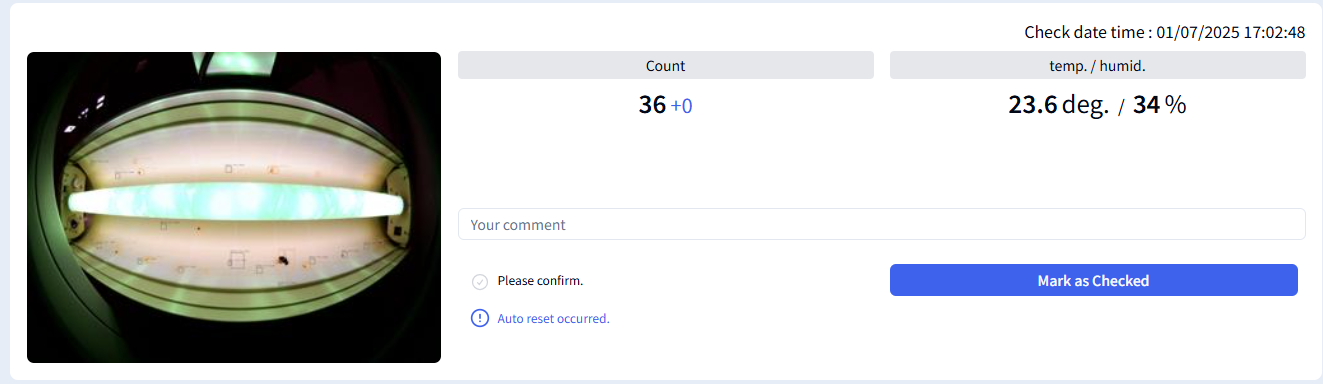
If an auto reset occurs, a message will appear: ‘An auto reset has been performed.’
Tip
Click the ‘AI Result’ toggle to switch between the pre-diagnosis and post-diagnosis images.
Tip
Click ‘Download Image’ to download the captured image.