How to Reinvite a Member
Caution
This feature is for space administrators.
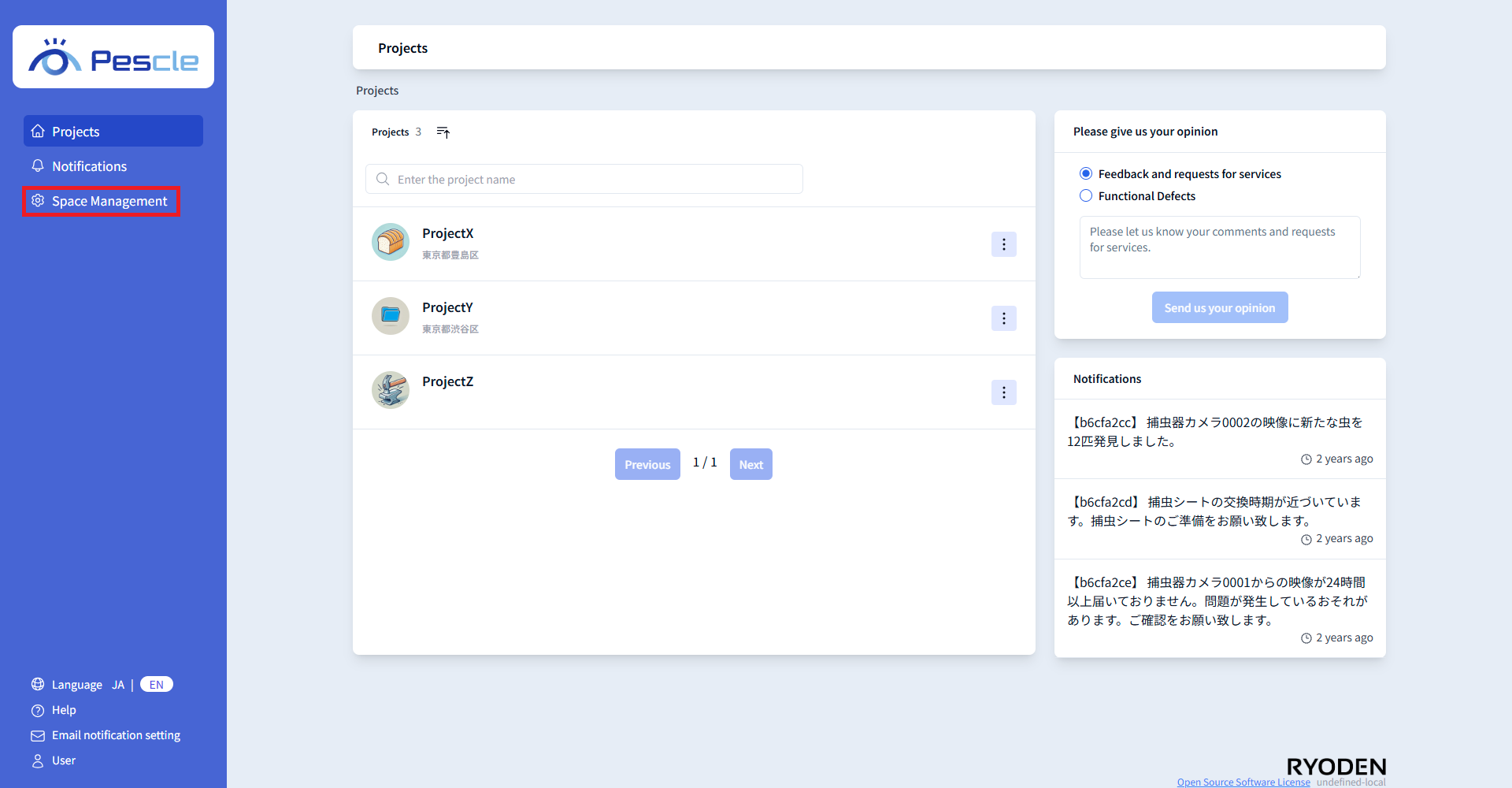
When you sign in, a navigation bar for space administration will be displayed on the left side of the screen. Click “Space Management” there.
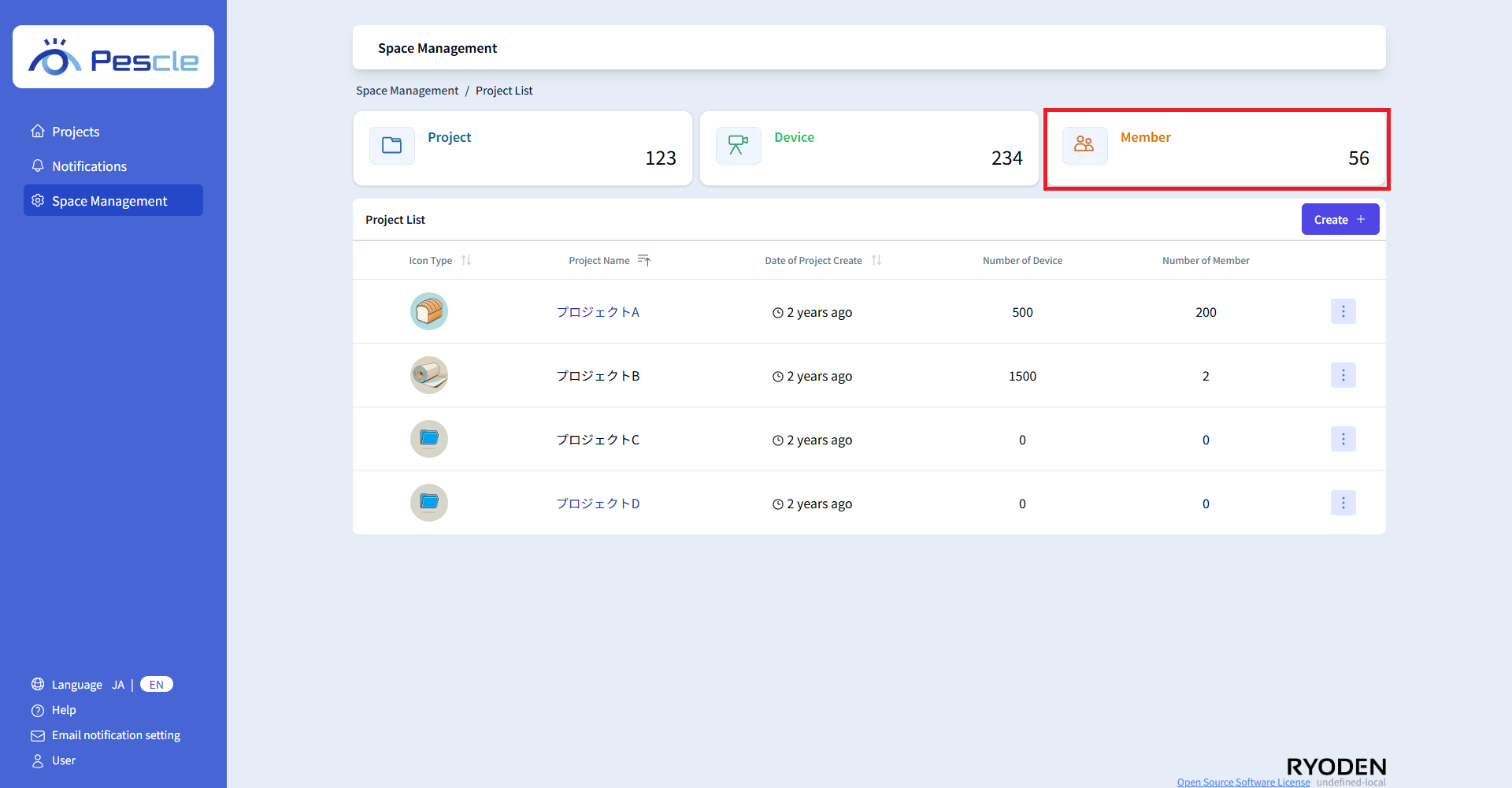
The project list screen will be displayed first. Click the “member count display area” at the top of the screen.
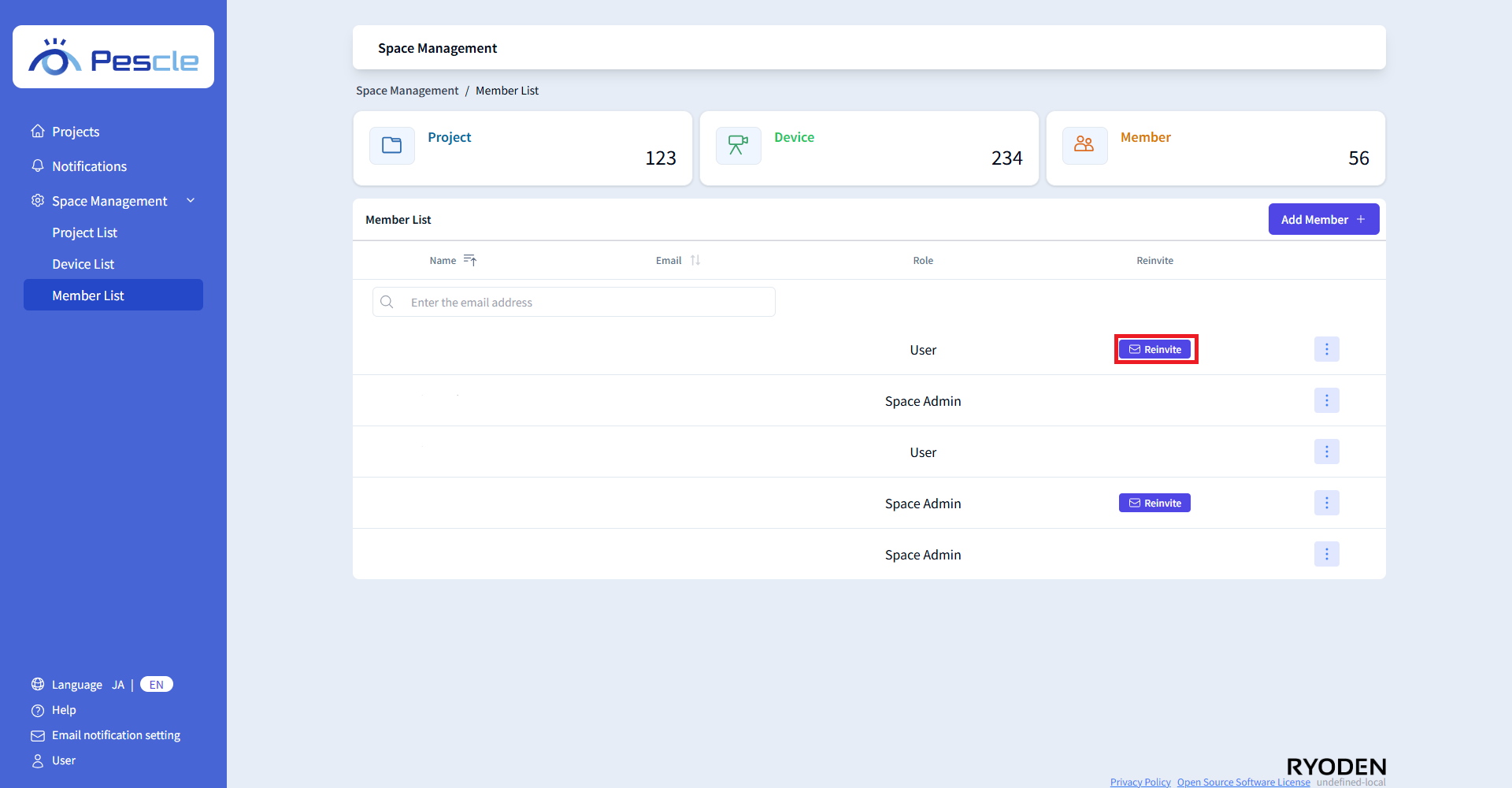
When the member management screen is displayed, click the “Reinvite” button in the row of the member you want to reinvite.
Note
The “Reinvite” button is only displayed for members who have not yet completed the password setup described in the invitation email.
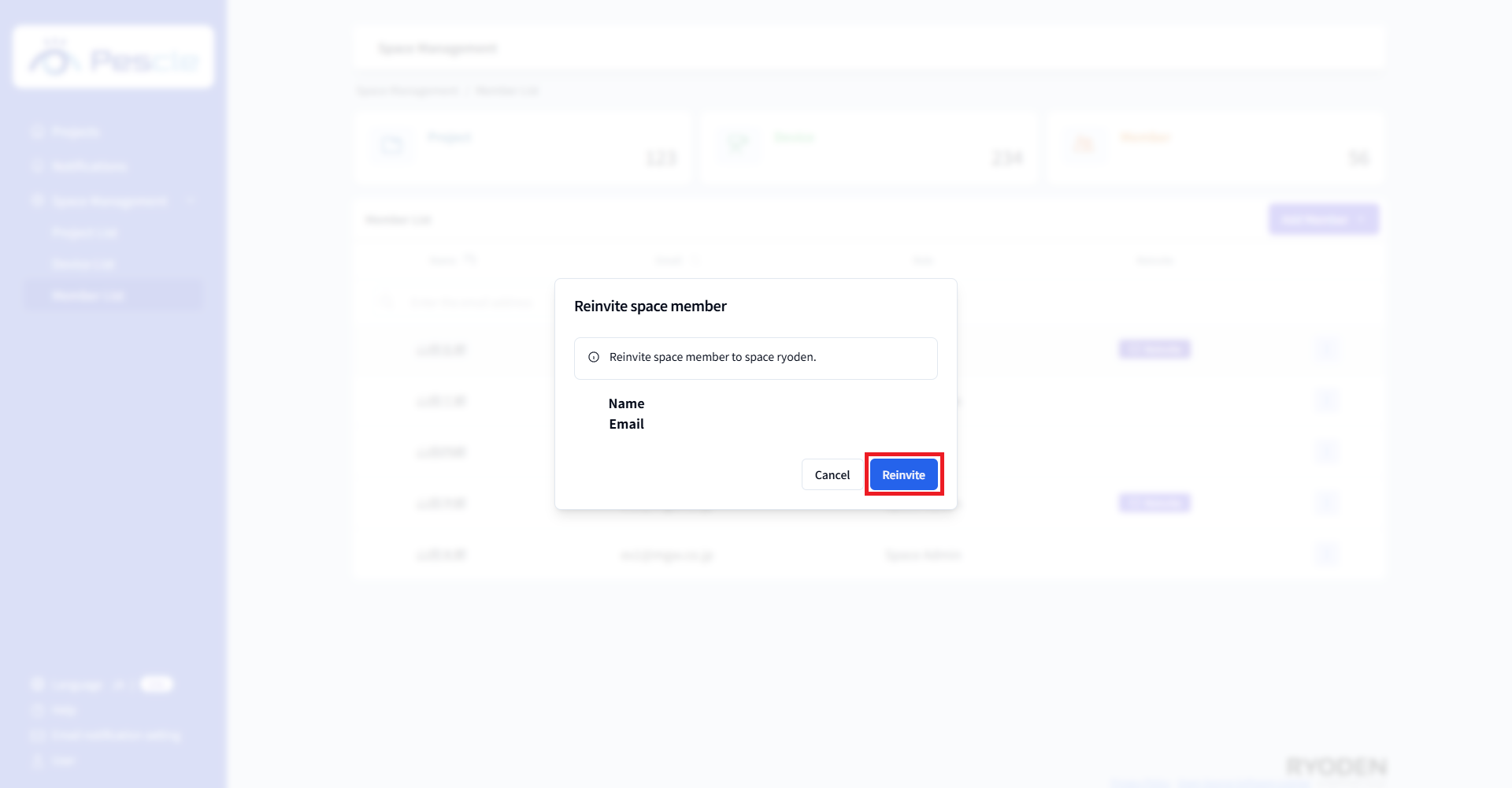
When a dialog appears asking you to confirm the reinvitation of the member, check the name and email address, and click the “Reinvite” button.