How to Delete a Router from a Project
Caution
This feature is intended for project administrators.
Open the router management screen. For how to open the router management screen, see How to Register a Router in a Project.
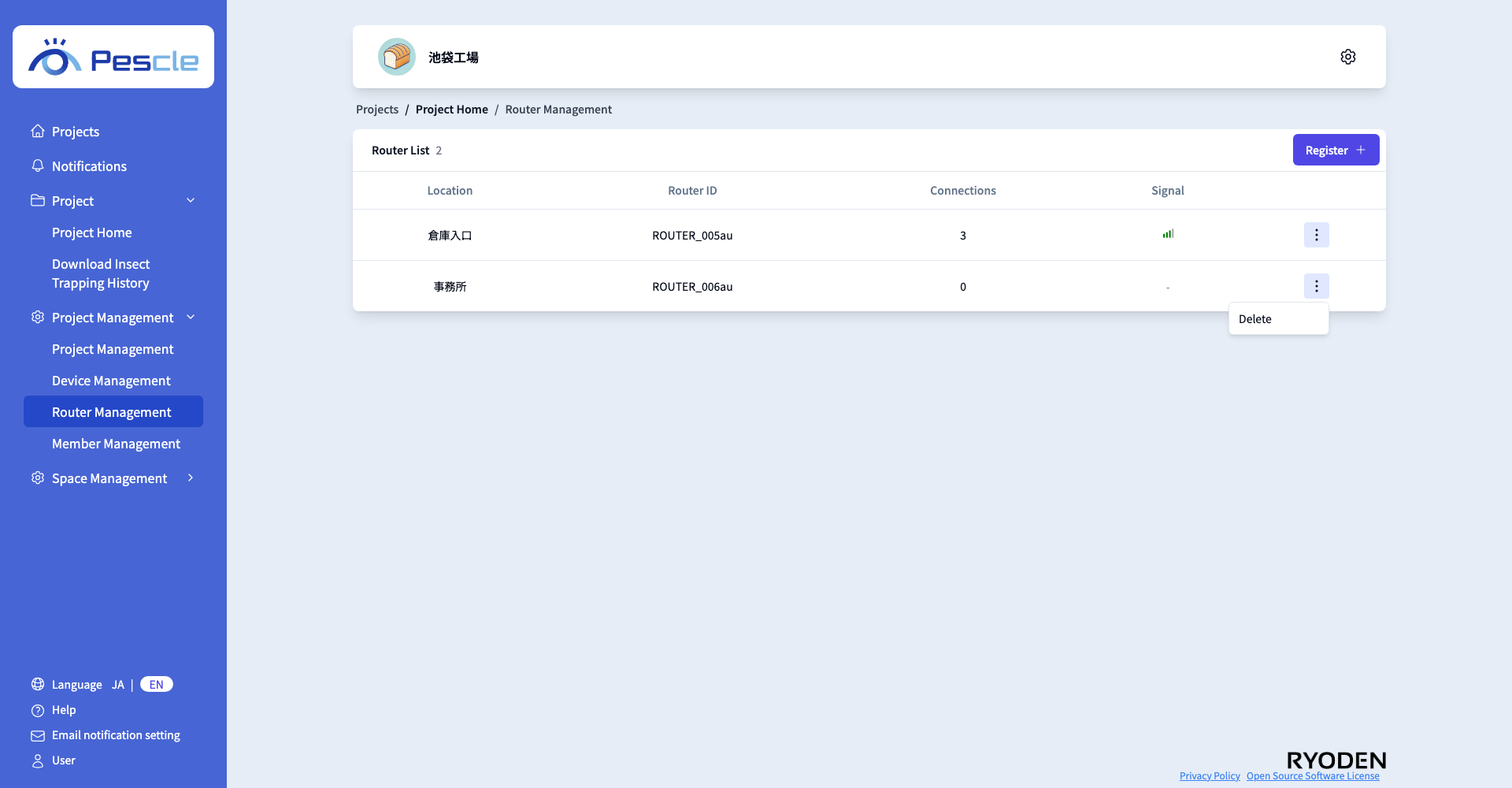
Click the vertical three-dot menu on the right side of the router you want to delete, then click “Delete”.
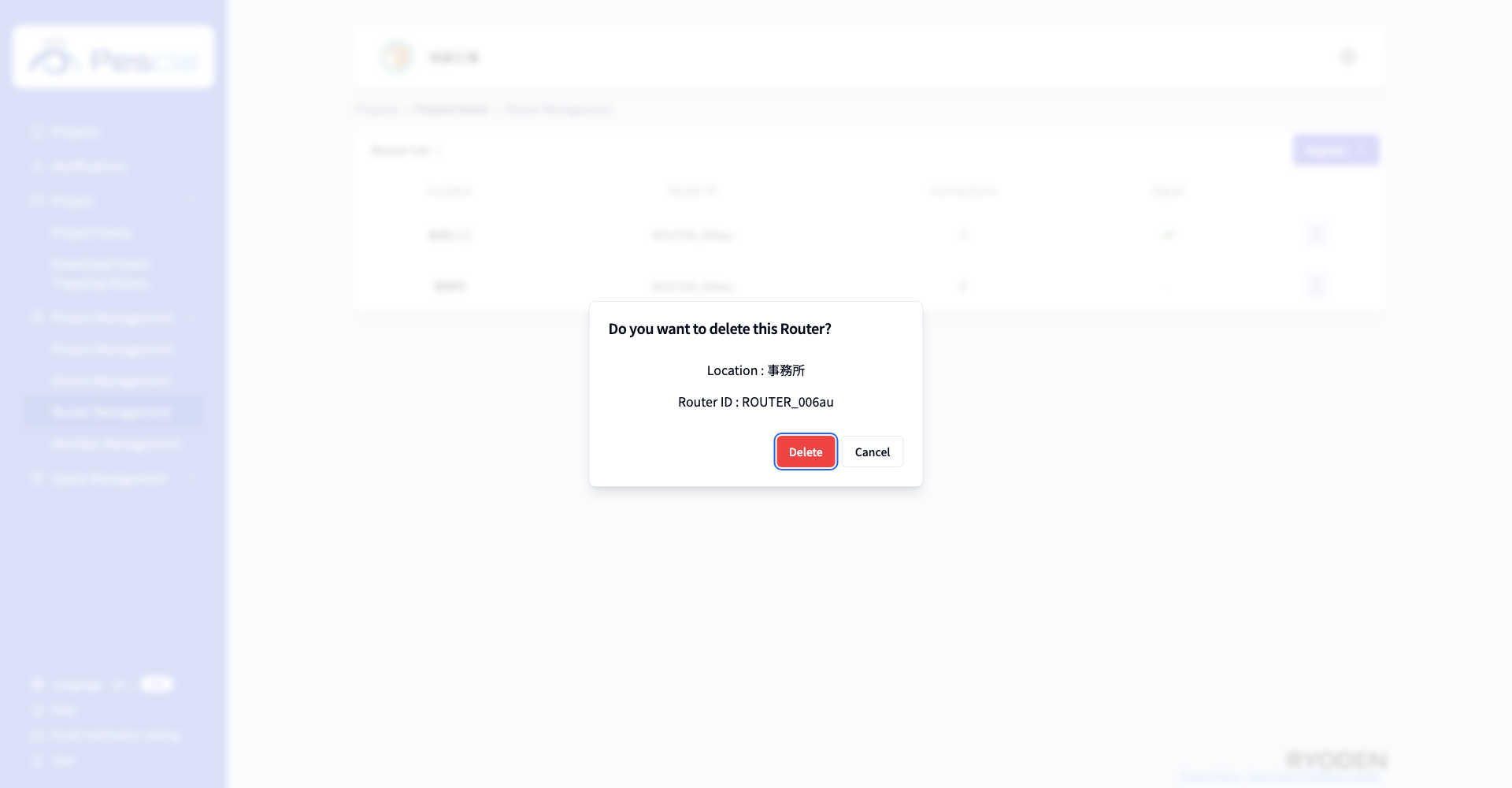
A dialog asking you to confirm the deletion of the router will appear. Check the location and router ID, then click the “Delete” button. To cancel the deletion, click the “Cancel” button.
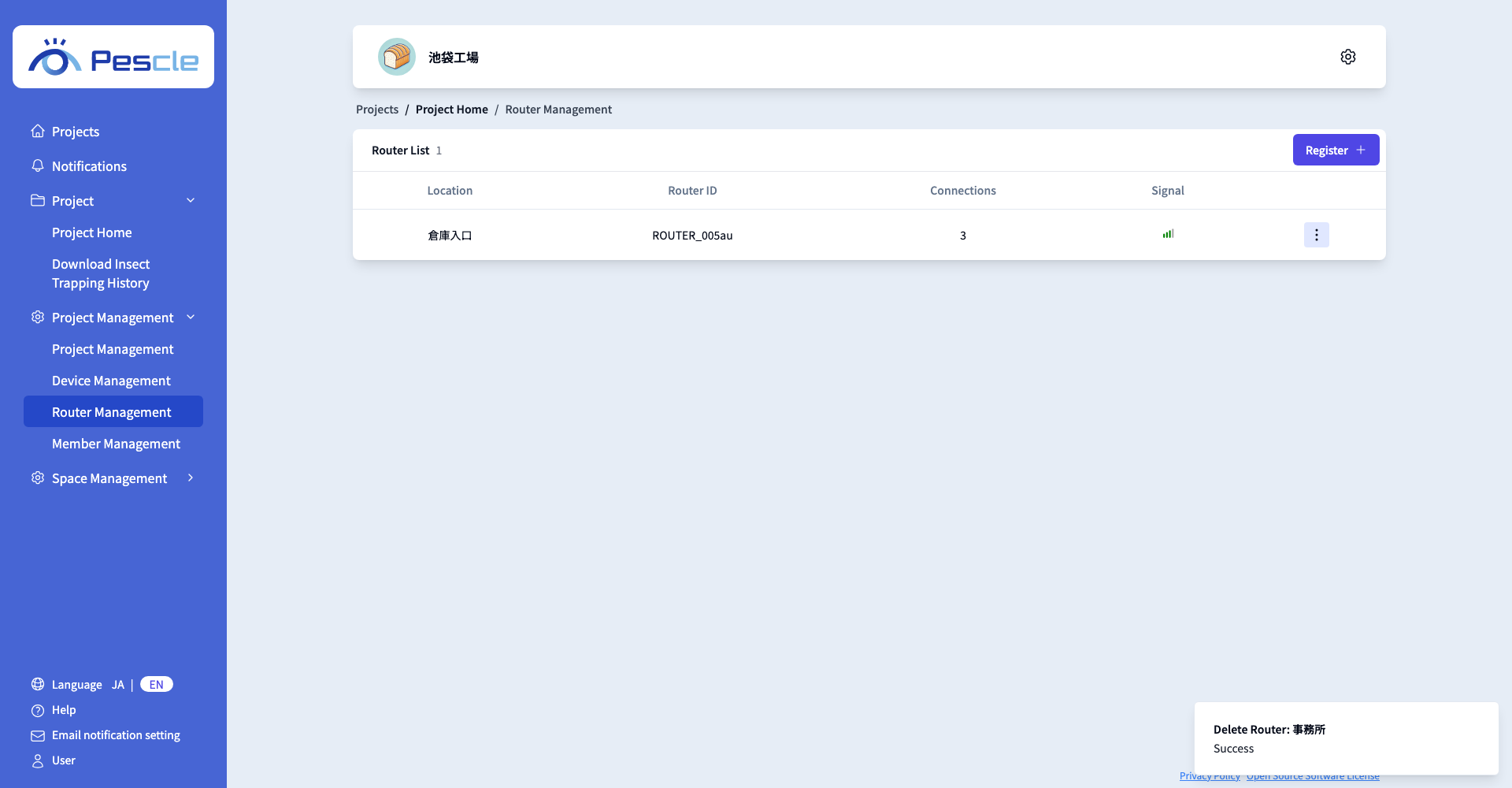
When the deletion succeeds, the router is removed from the list.
Note
If the deletion fails, the dialog stays open and an error message is displayed in the dialog.
